
Phasing animation is a technique used in interior showcases to visually demonstrate the various stages of a design project. It involves creating animated transitions that show how space transforms from one state to another, helping designers effectively communicate their design concepts and highlight specific design elements.
With offline rendering tools, it might be a hard nut to crack because designers can only imagine how a phasing animation will look before outputting one. Yet with D5 Render, a real-time rendering engine, you can preview the animation and make adjustments anytime.
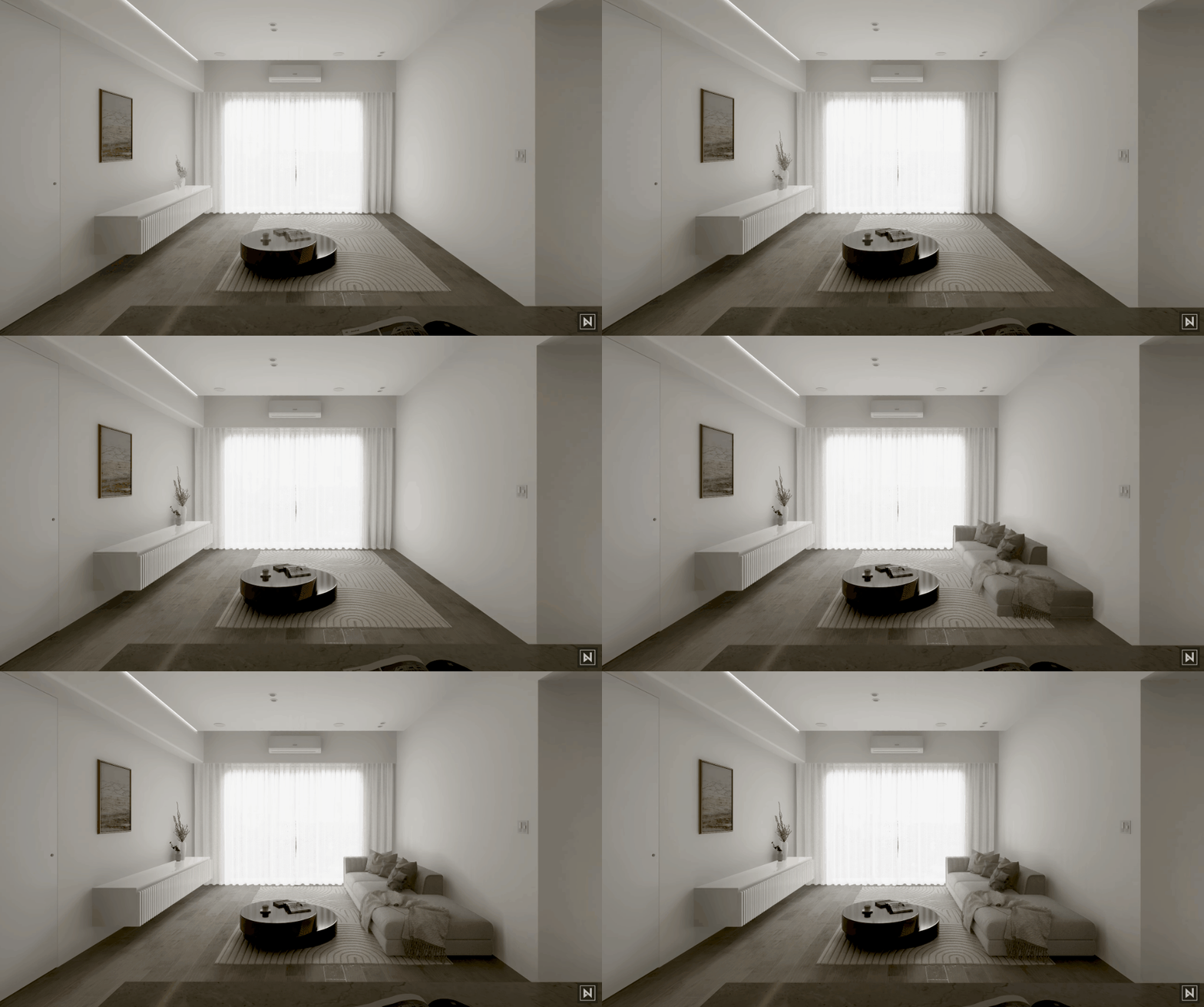
Table of Content:
– Utilize Keyframe for phasing animation
– Tips & Tricks for phasing animation
– More amazing uses of keyframe animation
Bonjour
Utilize Keyframe for phasing animation
A keyframe is a specific point in time used in animation and video production to mark the start or end of an animated movement or change, allowing animators to create smooth and complex animations.
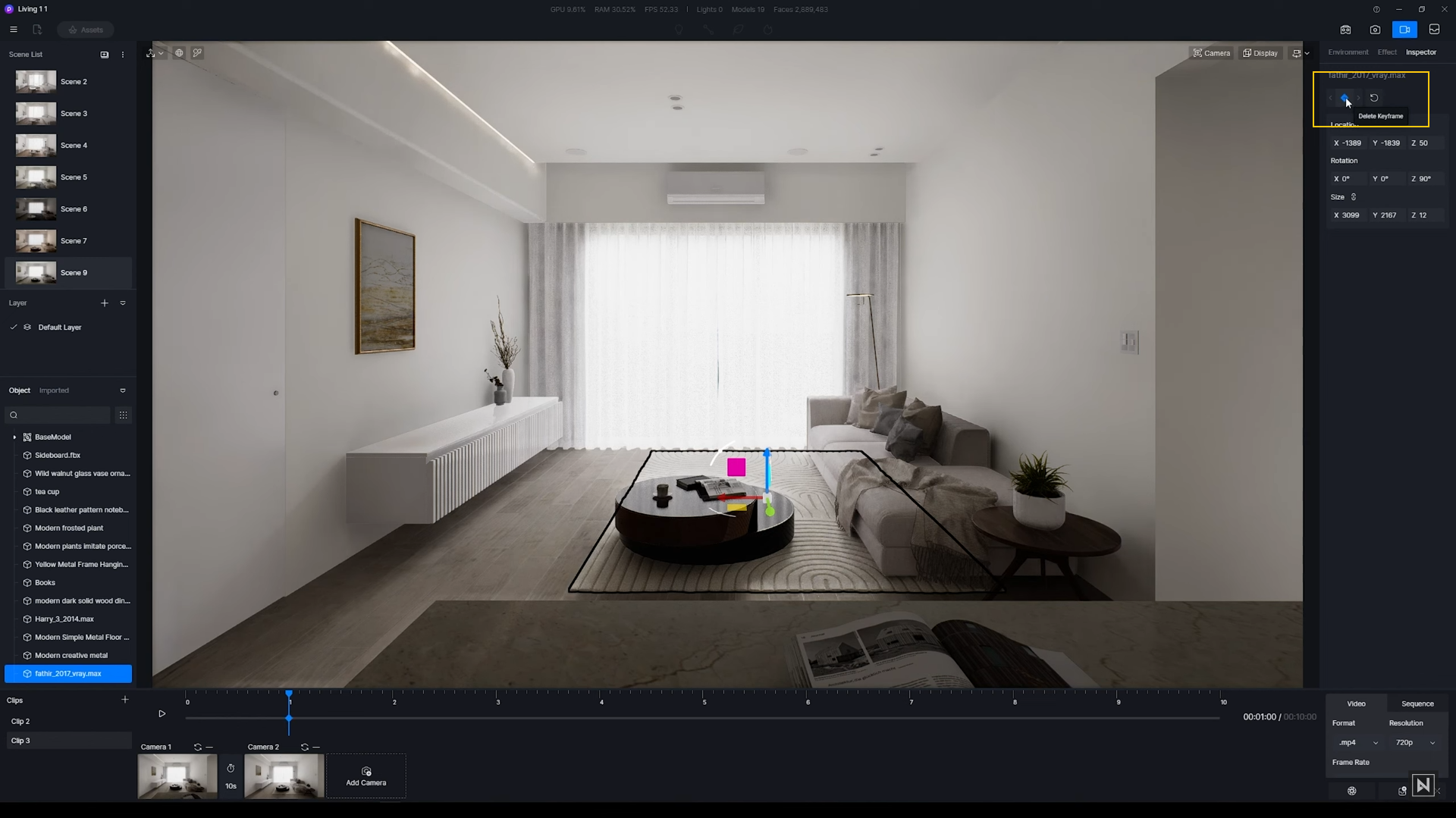
Take this carpet as an example.
End keyframe: If we want the carpet to drop down from the ceiling, first add a keyframe when it’s still on the ground. This refers to its end position.
Bonjour
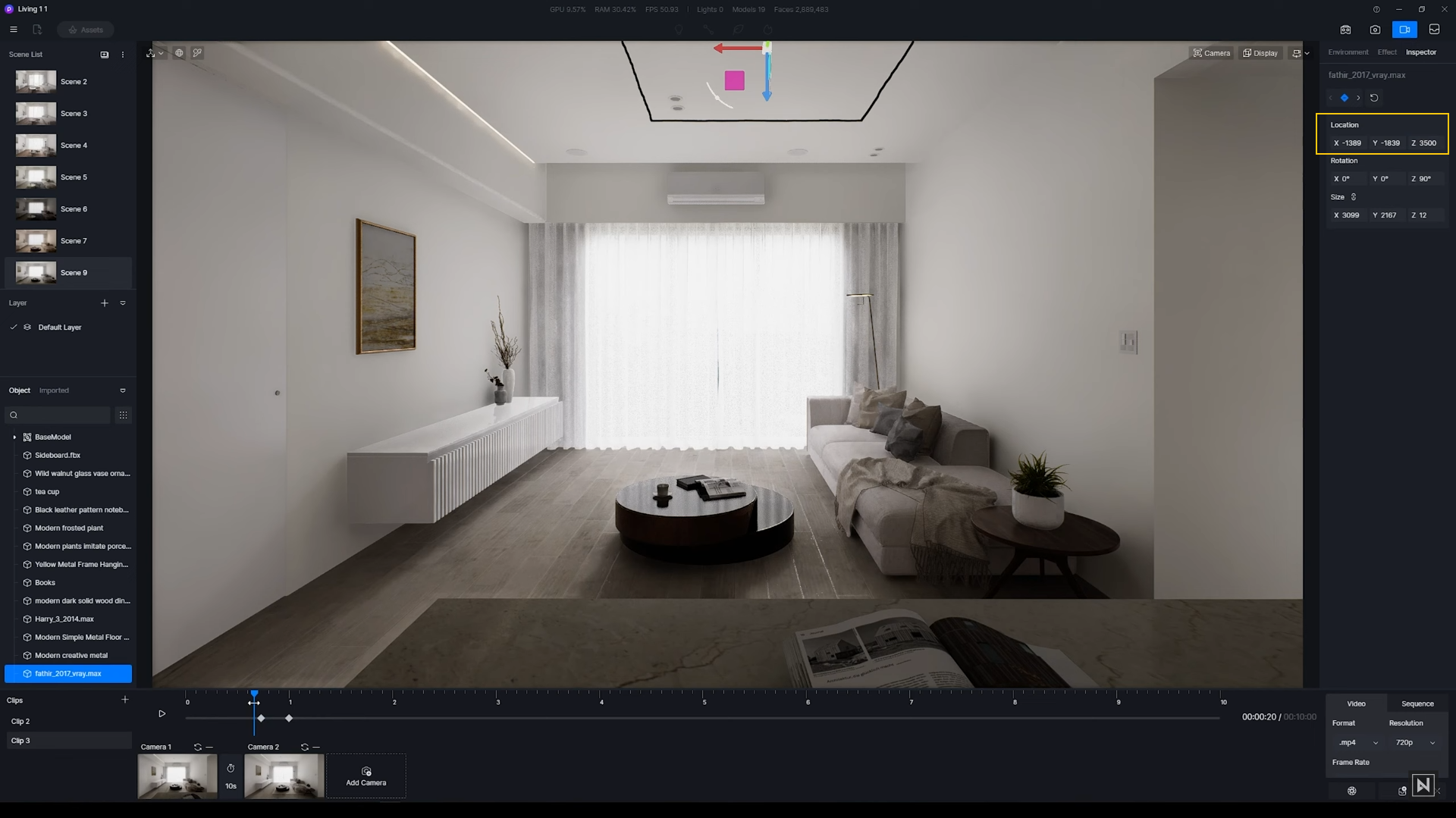
Start keyframe: Then, move it up by changing the z coordinate. Add another keyframe before the end one on the timeline, representing the start position of the carpet.
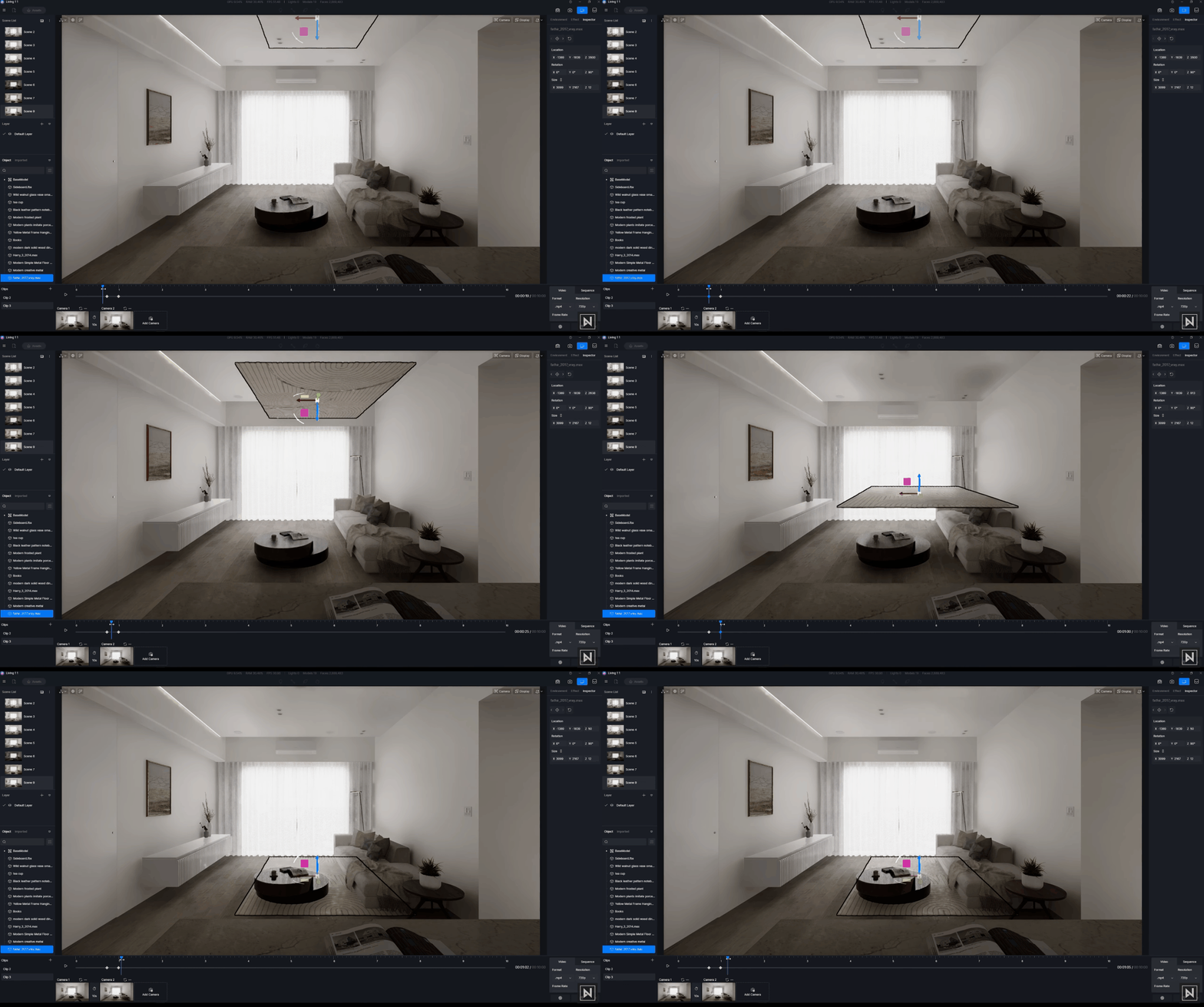
Here’s the preview:
More Tips & Tricks for phasing animation
- How to make an object “growing” in size:
After adding the end keyframe, set the size of the target to 1,1,0 and add the start keyframe.
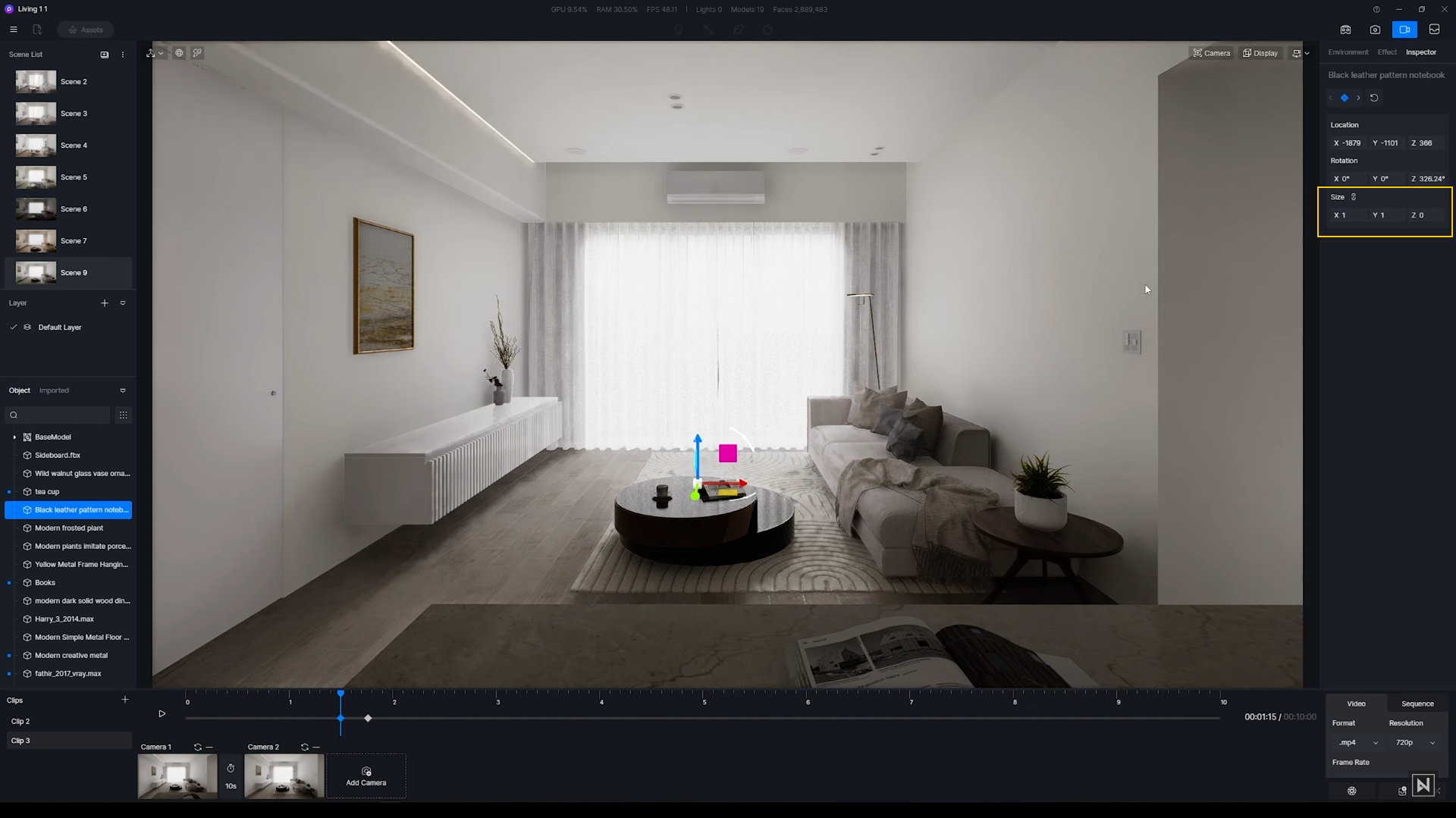
Here’s the preview:
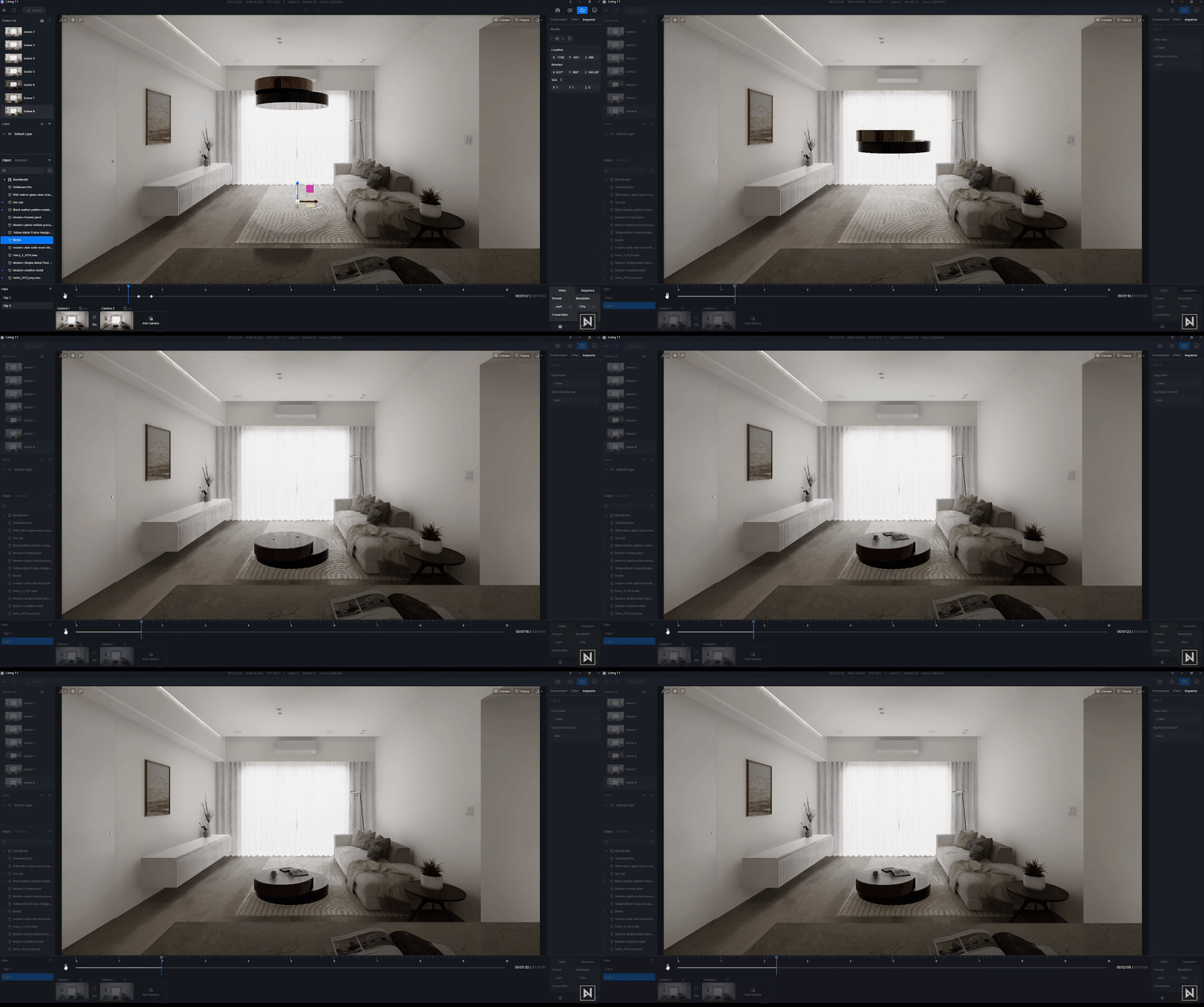
Bonjour
- How to create an object rotating to make a presence:
You only need to rotate the book a bit at the start keyframe.
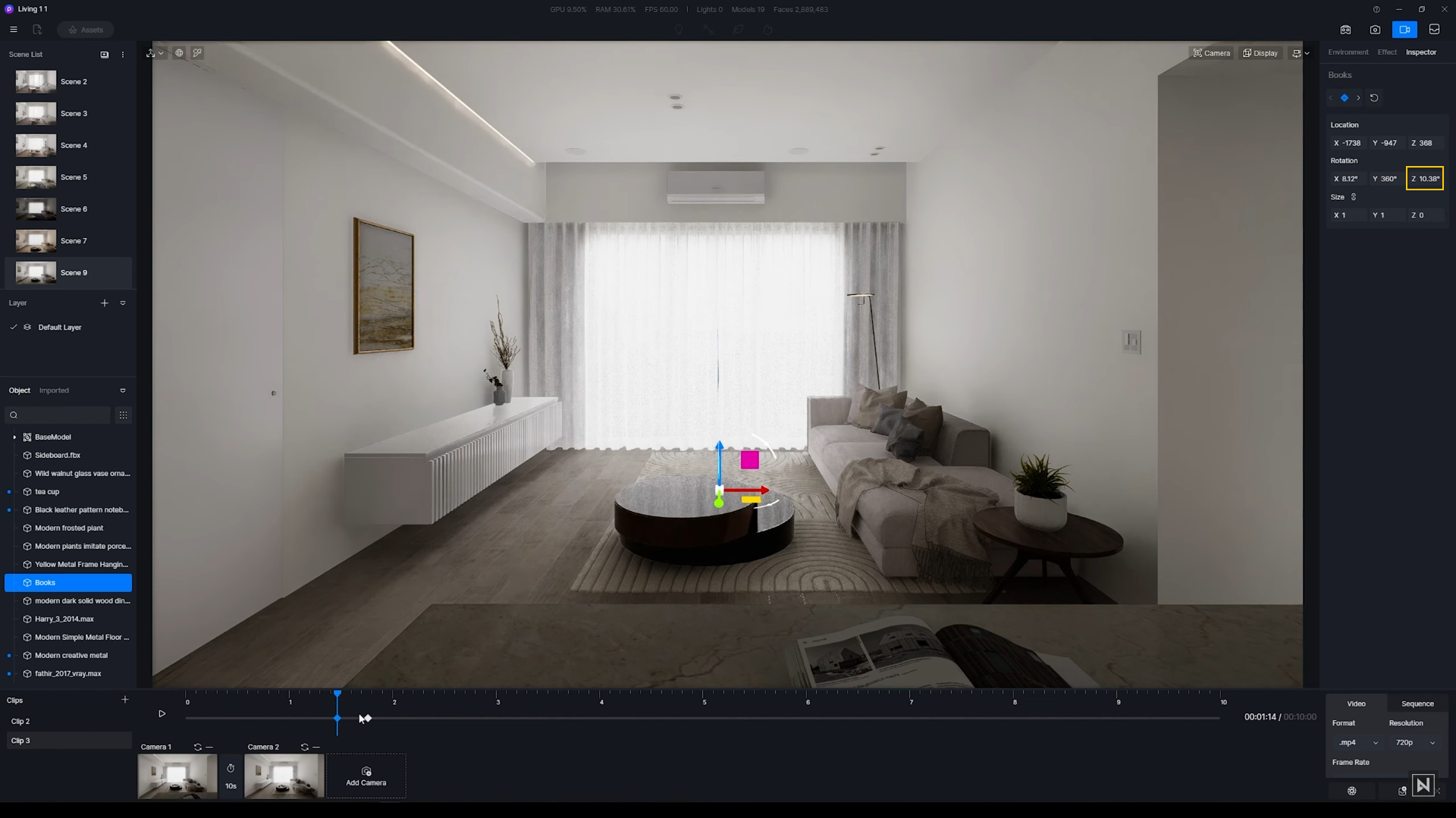
Here’s the preview:
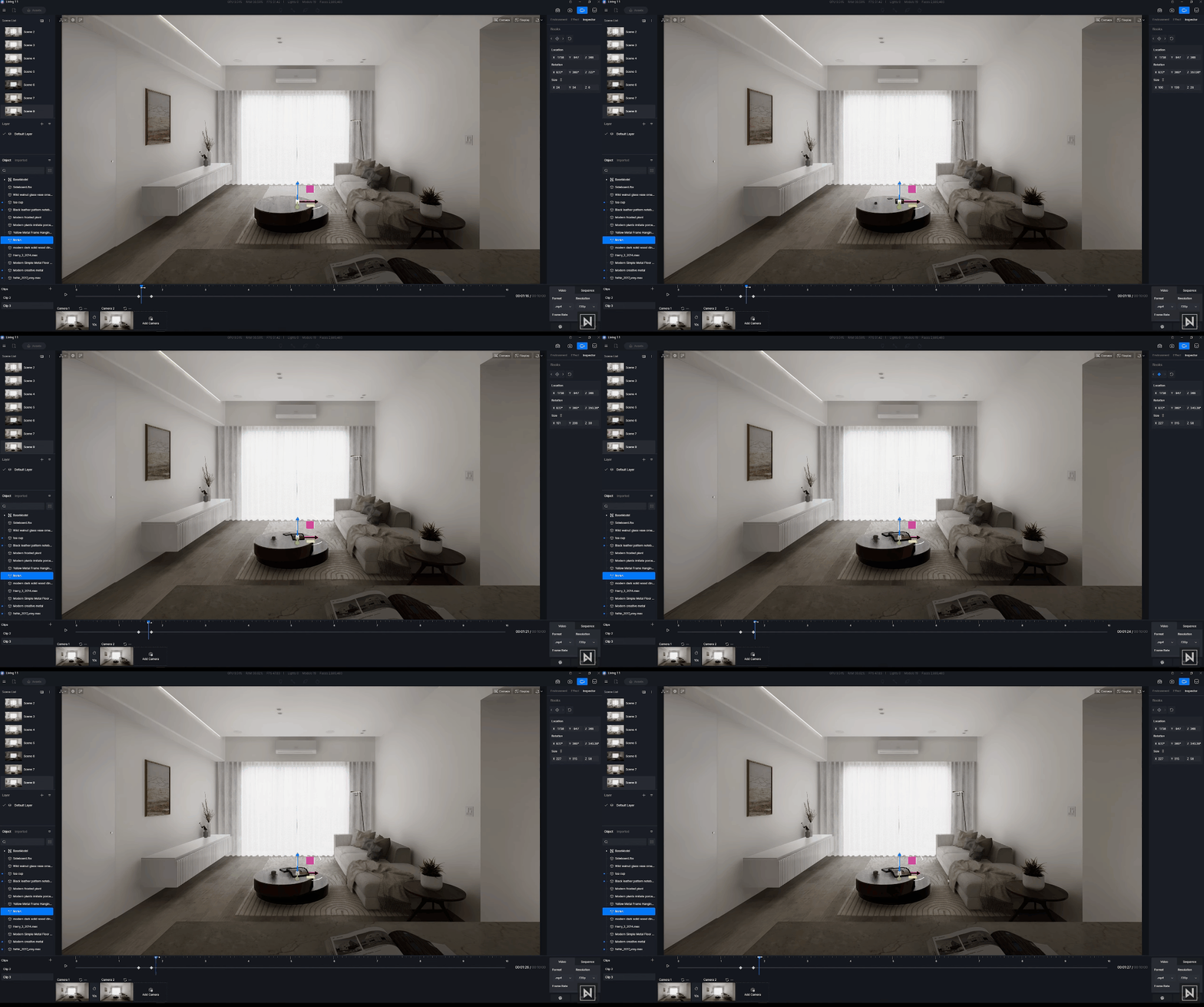
Bonjour
Image credit: Nuno Silva
More amazing uses of keyframe animation
Keyframes can be used for more than just creating phasing animations. There are many other uses, such as creating a rotating Ferris wheel.
To learn more, please read this blog: How to use keyframes to create animations in D5 Render
The D5 Render animation tool allows designers to add animated effects such as lighting changes, material transitions, and camera movements, creating an immersive and engaging experience for viewers. With its user-friendly interface and intuitive controls, D5 Render can help designers efficiently create phasing animations that effectively communicate their design concepts, making it an essential tool for interior design visualization.


 English
 Español
 Français
 한국어
한국어 日本語
日本語