
As an architectural/interior/landscape designer, do you ever find yourself spending countless hours searching for the perfect models and materials during the visualization process? Well, fear not because with D5 Render’s built-in asset library, all of that can be a thing of the past!
And the best thing is D5 Asset Library is frequently updated!
Key Takeaways on the D5 Asset Library
- Speed up scene building 가지고 D5 Render’s vast asset library, packed with high-quality models for architecture, interiors, and landscapes—no more wasting time searching.
- Bring designs to life effortlessly 사용 D5 Render’s animated models & particles, allowing you to create dynamic, professional animations with just a few clicks.
- Simplify material & terrain workflows—D5 Render offers intuitive real-time material adjustments and ready-to-use scatter templates for instant, realistic environments.

모델
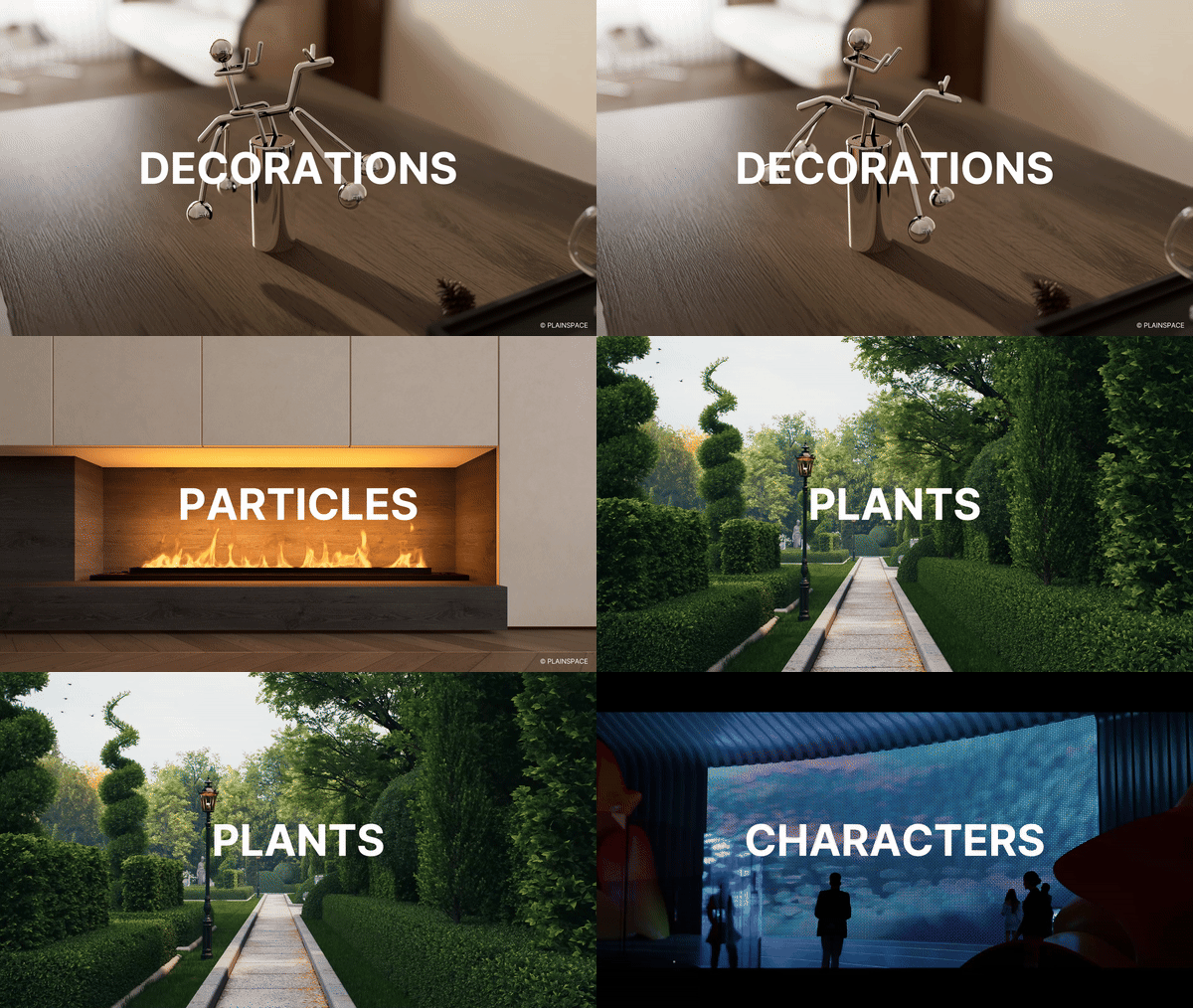
D5 Model Library is full of high-quality and up-to-date models that are perfect for architectural, landscape, and interior design projects. With its vast selection, filling up your scenes has never been faster!
Check the latest update for global plant models
애니메이션 모델, 파티클
What’s more, D5 Render helps designers bring their designs to life in animations that vividly convey the design concept and atmosphere.
With a wide range of high-precision dynamic models available at your fingertips, it’s easy to create stunning animations that showcase your design in all its glory.
재료
Unlike traditional rendering software that requires complex material nodes, adjusting materials in D5 is a breeze and you can see the changes in real-time.
But wait, it gets even better! D5 also offers a wide variety of high-quality materials that you can use right out of the box.
Terrain and Scatter Templates
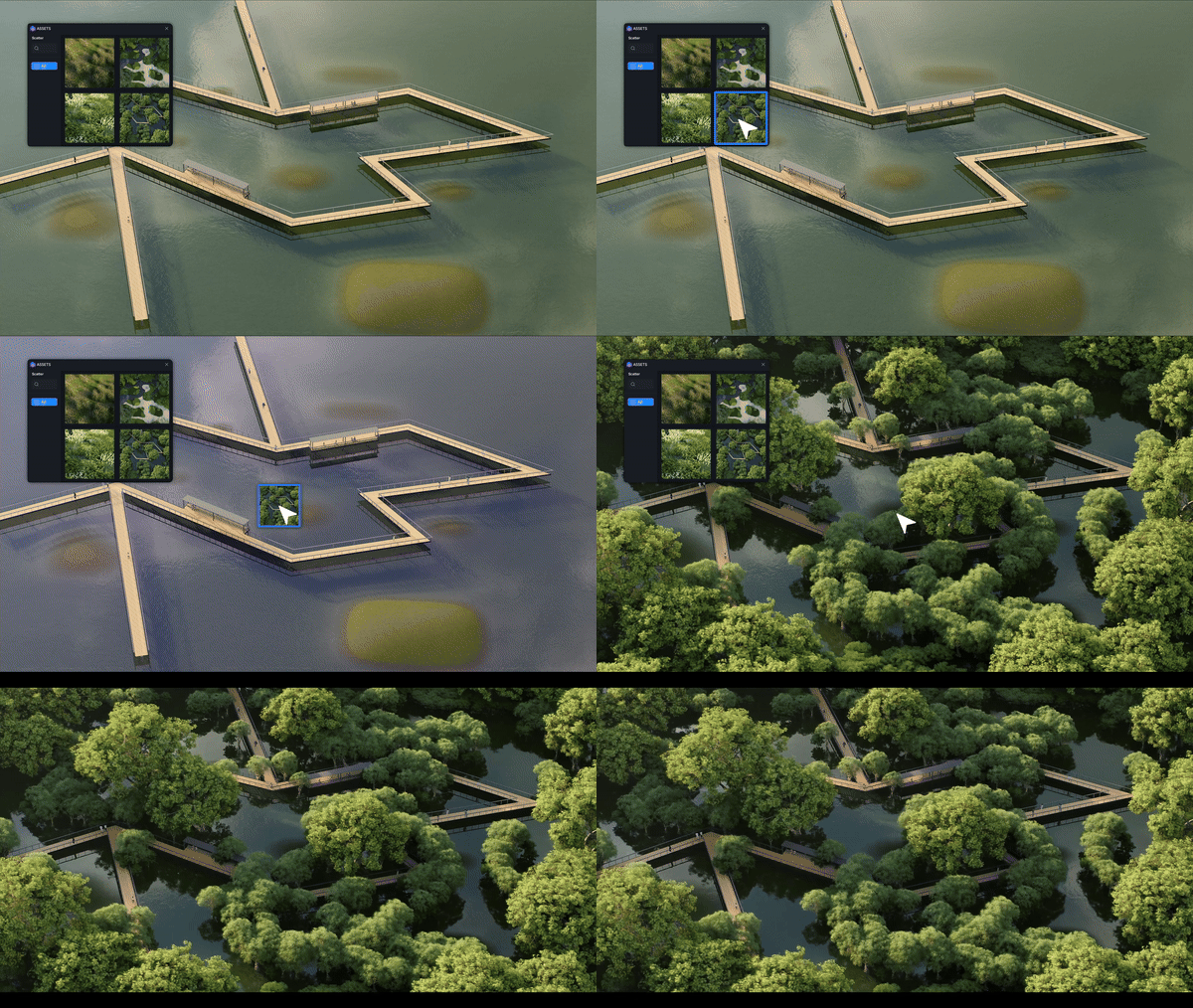
D5 Render meticulously incorporates dozens of terrain and scatter templates. Designers can drag their desired terrain template from the library and drop it to the ground. It will instantly form a realistic topography accordingly. The scatter templates help to effortlessly create lush and lifelike vegetation.
Conclusion on D5’s Asset library
함께 D5 에셋 라이브러리, high-quality scene building is faster than ever. From realistic 모델 그리고 물질 to dynamic 애니메이션 그리고 terrain templates, everything you need is just a click away. Stop wasting time searching—start creating stunning renders in minutes. Try D5 today and speed up your workflow!
D5의 에셋 라이브러리에 대해 더 알아보기
2025년 최고의 무료 고품질 SketchUp 텍스처 >
Top 10 Sustainable Building Materials | D5 Render Guide >
D5 Render의 에셋 라이브러리 사용 FAQ
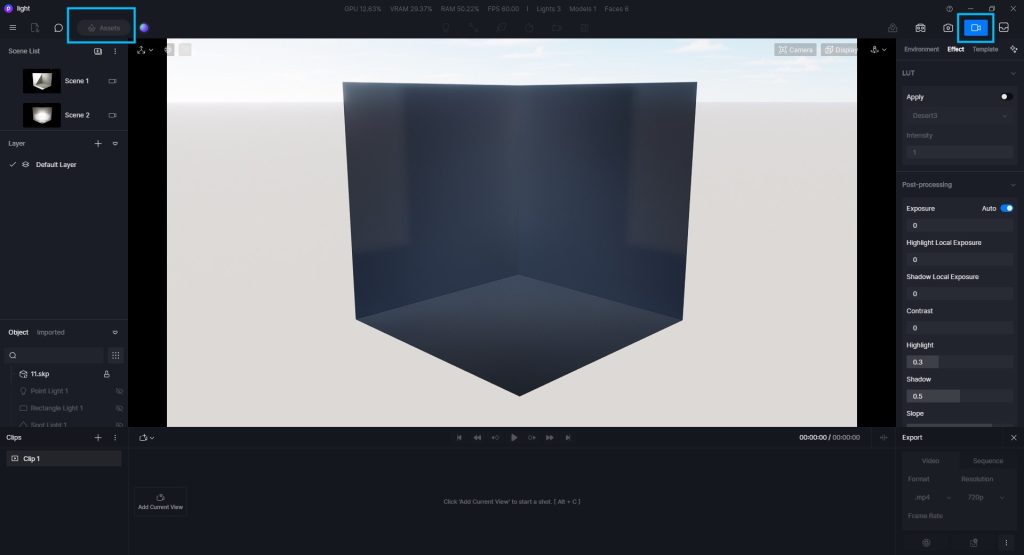
① 에셋 버튼이 회색으로 비활성화된 이유는 무엇인가요?
렌더링(이미지/비디오) 모드에서는 모델을 장면에 추가할 수 없습니다. 렌더링 모드를 종료하세요.
② 왜 워터마크가 표시되거나 에셋에 D5 PRO ONLY라고 표시되나요?
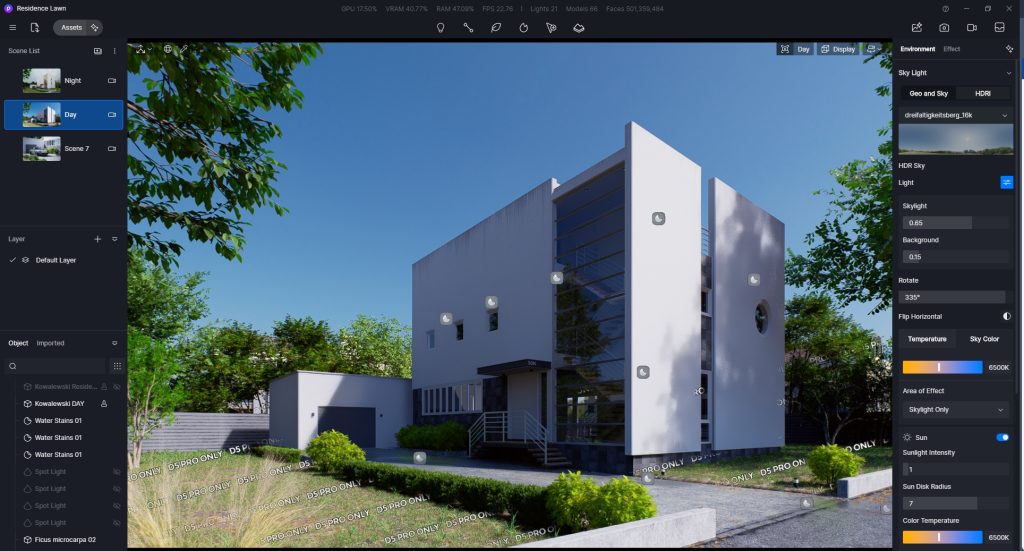
워터마크가 적용된 에셋은 D5 프로 버전에만 해당됩니다.
자산의 워터마크를 숨기려면 Pro/Edu/Teams 계정으로 로그인하세요.
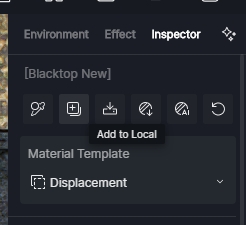
③ 로컬에 재료를 추가하는 방법
재료를 선택한 후 재료 검사 패널의 재료 이름 아래에 있는 「로컬」에 재료를 추가할 수 있습니다.
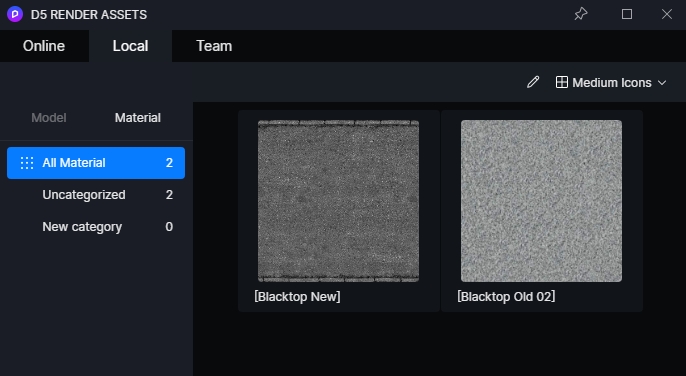
저장된 자료는 탐색 모음의 “Assets” > “Local” 탭에 있는 “Material” 드롭다운 메뉴에서 찾을 수 있습니다.


 English
 Español
 Français
 한국어
한국어 日本語
日本語