
D5 for SketchUp | Real-time rendering for concept design & visualization
Speed up your workflow with D5 Lite or D5 LiveSync for SketchUp.
*D5 Lite for SketchUp is an AI-powered real-time rendering plugin inside SketchUp for concept design. It’s compatible with SketchUp versions from 2021.1 to 2026. Learn more >
*D5 LiveSync for SketchUp is a plugin to link SketchUp with D5 Render. It supports SketchUp 2020.1 to 2026. If you need a Sync plugin, please click here to download.
Seamless workflow from concept to presentation
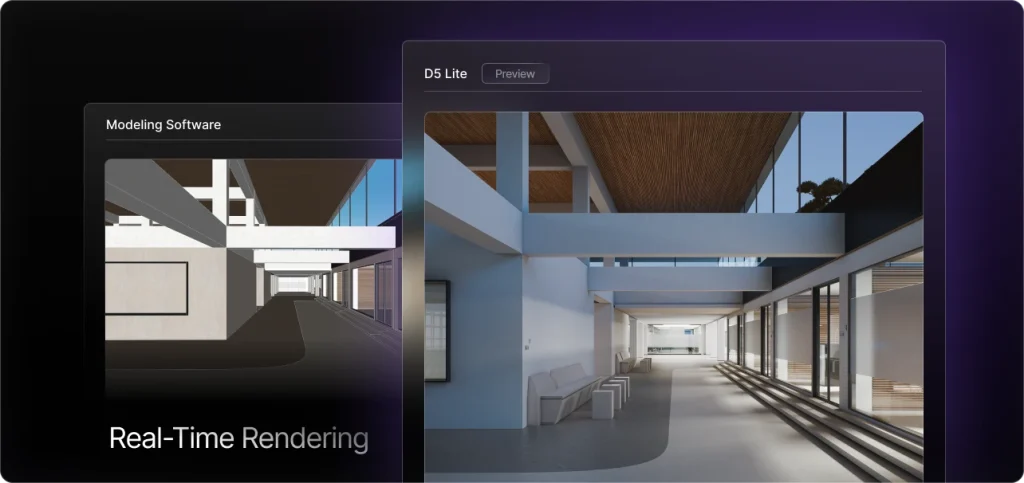
AI-native Render Plugin for Design
D5 offers a lightweight rendering plugin—D5 Lite—seamlessly integrated into SketchUp. Powered by AI-assisted concept generation and high-quality real-time rendering through D5 Engine, concept design has never been easier.
Photorealistic Visualization for Final Result
When everything is in place in D5 Lite, you can seamlessly bring your work into D5 Render to refine visual details. With real-time path tracing, animations, and tours in D5 Render, creating immersive presentations becomes effortless, helping you truly wow your clients.
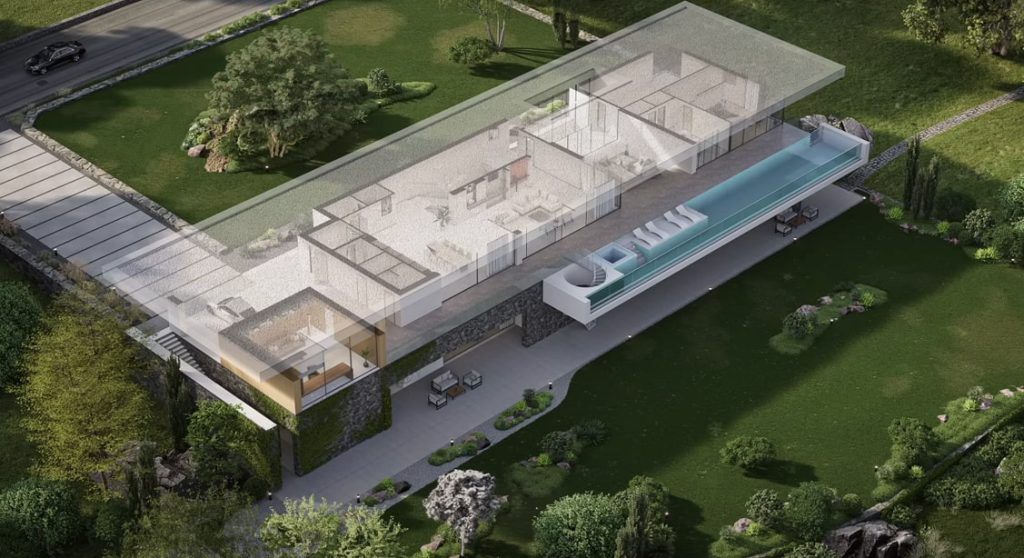
Scene and Section View Support
D5 LiveSync for SketchUp supports SketchUp scenes & section planes for powerful presentations & detailed interior views. Real-time updates streamline material/component management, enhance design reviews, and accelerate visualization workflows.
Access to a Massive Asset Library
D5 Render provides instant access to a massive 16,000+ asset library (trees, furniture, etc.). Effortlessly drag-and-drop to enrich your scenes within D5. Streamline asset integration for faster, intuitive visualization.

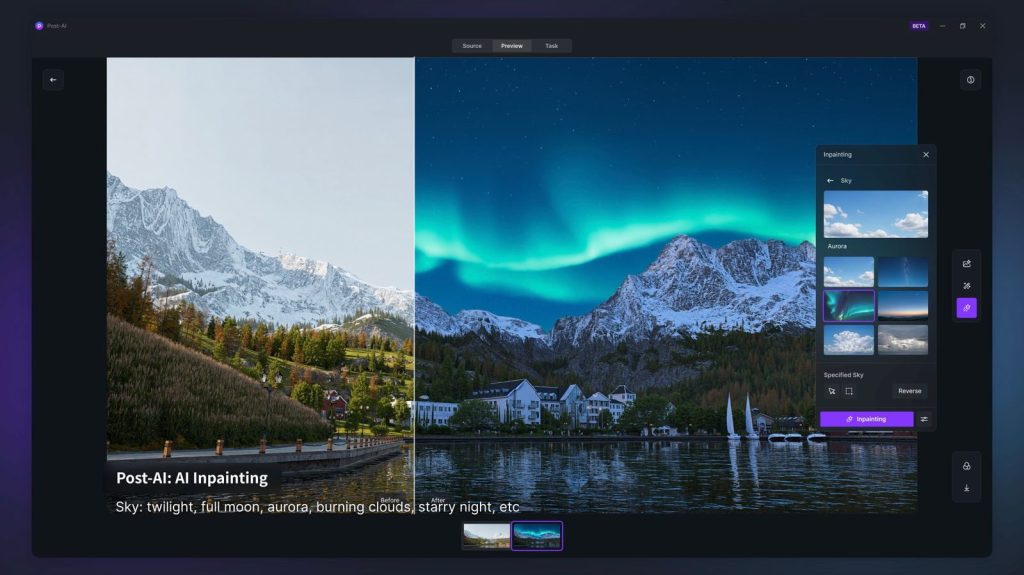
AI-Powered Tools for Creativity and Productivity
D5 Render integrates AI tools like Style Transfer & Inpainting. This streamlines workflows, maintains visual consistency, and lets you focus on design while D5 intelligently enhances scenes for smarter, efficient rendering.
Fast & High-Quality Rendering
D5 Render leverages GPU rendering for fast, high-quality visuals on complex models. Supports real-time client presentations, faster design iterations & decisions with full fidelity.

FAQ
Why Is the SketchUp Model Not Appearing in D5 After Syncing With D5 LiveSync for SketchUp?
There are two possible reasons:
1. The version of your graphics card driver is too old, it is recommended to update to the latest version of the graphics card driver.
2. There is encryption software on the computer, D5 does not have the permission to read the files. Different encryption software may have different handling policies, you may need to contact the corresponding IT department of the company for assistance.
💟 Please let us know if you would like to receive remote support. Conntact support@d5techs.com between Monday to Friday, 10:00 to 18:00 (GMT +8), we are available for remote support.
🔔 Still Need Help? D5 Forum, Help Center, D5 Facebook group
Why Does D5 LiveSync for SketchUp Show the Error 'Load Error su_to_d5 Render'?
Since the SketchUp installer used is missing the D5 Sync runtime dependency profile, it is recommended to reinstall SketchUp using an installer from another source, and then reinstall SketchUp-D5 Sync.
💟 Please let us know if you would like to receive remote support. Conntact support@d5techs.com between Monday to Friday, 10:00 to 18:00 (GMT +8), we are available for remote support.
🔔 Still Need Help? D5 Forum, Help Center, D5 Facebook group
Why Isn't the D5 LiveSync for SketchUp Toolbar Appearing in SketchUp After Installation?
1. Please select ‘Window’ – ‘Extension Manager’ from the menu bar in SketchUp. Enable D5 Sync in the pop-up window.
2. If it still doesn’t show up, use the rbz installer to cover the installation.
💟 Please let us know if you would like to receive remote support. Conntact support@d5techs.com between Monday to Friday, 10:00 to 18:00 (GMT +8), we are available for remote support.
🔔 Still Need Help? D5 Forum, Help Center, D5 Facebook group
Why Do SketchUp Lights Appear As Solid Models in D5 Render When Synced With D5 LiveSync for SketchUp?
Solution: Open this skp file in SketchUp, hide all the light source by SketchUp-D5 Sync with one click, save the skp file, and then import it into D5 render directly.
Tips: The light source tool of SketchUp-D5 Sync is only applicable to the workflow of plugin synchronization. ——Under the direct read workflow, the D5 light source added through the plugin will become an entity model and the light source be read directly. Under the workflow of plugin synchronization, the D5 light source added in SketchUp is hidden by default, and the light source is displayed in the scene of the D5 Render.
💟 Please let us know if you would like to receive remote support. Conntact support@d5techs.com between Monday to Friday, 10:00 to 18:00 (GMT +8), we are available for remote support.
🔔 Still Need Help? D5 Forum, Help Center, D5 Facebook group
Why does 'data errors detected' prompt appear when connecting?
If it prompts ↓ image content when syncing for the first time, i.e. ‘Material ‘Material’ – Unsupported texture formats: xxx (currently in .psd format).
Tips : Newly added function since SketchUp LiveSync 1.3.0.0035: Popup window on first time connection to indicate abnormal texture information.
💟 Please let us know if you would like to receive remote support. Conntact support@d5techs.com between Monday to Friday, 10:00 to 18:00 (GMT +8), we are available for remote support.
🔔 Still Need Help? D5 Forum, Help Center, D5 Facebook group
Why Does Terrain Grass Not Show Up When a SketchUp Group/Component Is Mirrored and Imported Into D5?
If you sync a model using D5 Direct Reading or D5 LiveSync for SketchUp, and then mirror a group or component after it has been created, the terrain grass will not appear on the mirrored part. This is a known issue that will be addressed in a future update.
Currently, we recommend exploding the mirrored part of the group or component before syncing or importing it into D5. This workaround should ensure the terrain grass displays correctly.
💟 Please let us know if you would like to receive remote support. Conntact support@d5techs.com between Monday to Friday, 10:00 to 18:00 (GMT +8), we are available for remote support.
🔔 Still Need Help? D5 Forum, Help Center, D5 Facebook group
 English
 Español
 Français
 한국어
한국어 日本語
日本語